
Signup guide
Get access to orosy: sign up, get approved, connect
orosy connects your sales channels to wholesale sourcing from Japan. This guide walks you through the sign-up, the review step, issuing your API key, and connecting over MCP.
The portal is available in English. Use the language switch at the top right of any portal screen. Every screen below is shown in English.
01What you get
- One API for over 50,000 wholesale products from Japan. Search the catalog, build a cart across multiple suppliers, place orders, and pull invoices, all through
https://wholesale-api.orosy.com. - The same catalog is reachable by AI agents over MCP. Connect Claude or another MCP client and let it search products and build carts. You make the final order.
- Delivery to your country, or to a business address in Japan. When you set a delivery country, search and cart show only the products that can be shipped there. Before you order, the cart shows a reference figure for international shipping, for your information only; the actual shipping cost is calculated later and billed to you. Import duties and customs clearance in your country are your responsibility.
Product data is in Japanese. You can search in Japanese or in other major languages such as English, Chinese and Korean; for example, both towel and タオル find towels. Product names and descriptions come back in Japanese. The same applies to the q parameter of the API.
Authentication is a single API key (Authorization: Bearer orosy_...). No OAuth. If curl runs, you can start.
02Sign up
Go to wholesale-portal.orosy.com/signup.
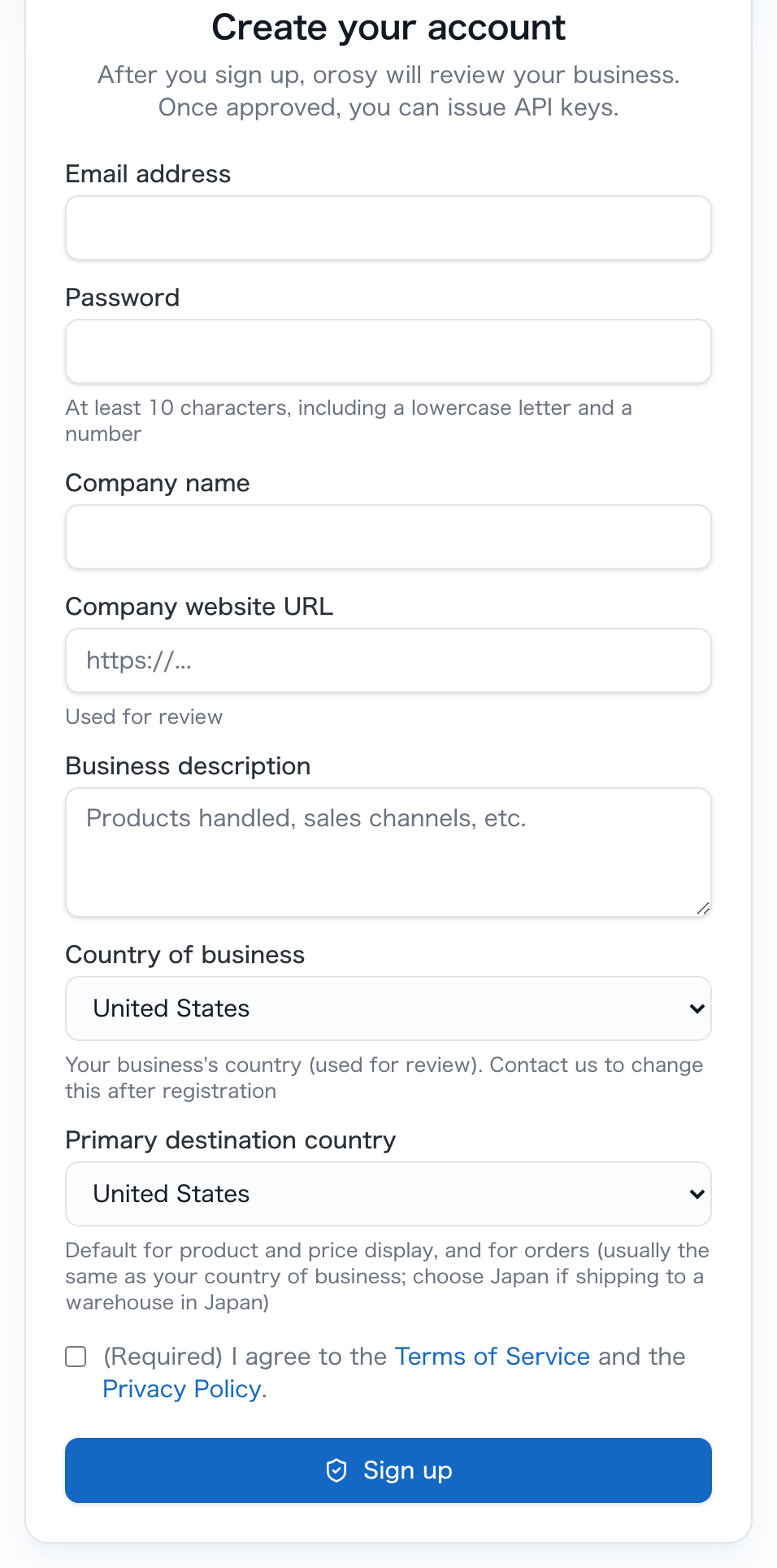
After you register, orosy reviews your business. Here is what each field is for:
| Field | What it is for |
|---|---|
| Email address | Your login ID. The verification email and the approval email go here. |
| Password | At least 10 characters, including a lowercase letter and a number. |
| Company name | The business that will place orders. |
| Company website URL | Used for the review. Give the site you actually sell through. |
| Business description | Products you handle, sales channels, and similar. Used for the review. |
| Country of business | Where your business is located. Used for the review. |
| Primary destination country | Where products usually go. It sets the default for product and price display and for orders. Choose Japan if you receive at a warehouse in Japan. |
| Terms of Service and Privacy Policy | Required checkbox. |
Give the review a real website and a clear line about what you sell and where. Those two fields are what orosy reads when deciding on approval.
After you submit, check your inbox: a verification email arrives first. Click the link to confirm your address, and your account moves into review.
03Approval
The path is: register → verify your email → try test mode → business review → approval email.
orosy reviews each account to confirm it is a real business. While the review is pending, you can walk through everything from search to ordering in test mode on demo data. The actual products and prices appear once you are approved.
If the domain of your registered email matches your business website, or your registered email appears on the site, the check completes automatically and most accounts are approved within about 10 minutes. Otherwise our team verifies your business and you will normally hear back within 12 hours, by email.
04Issue your API key
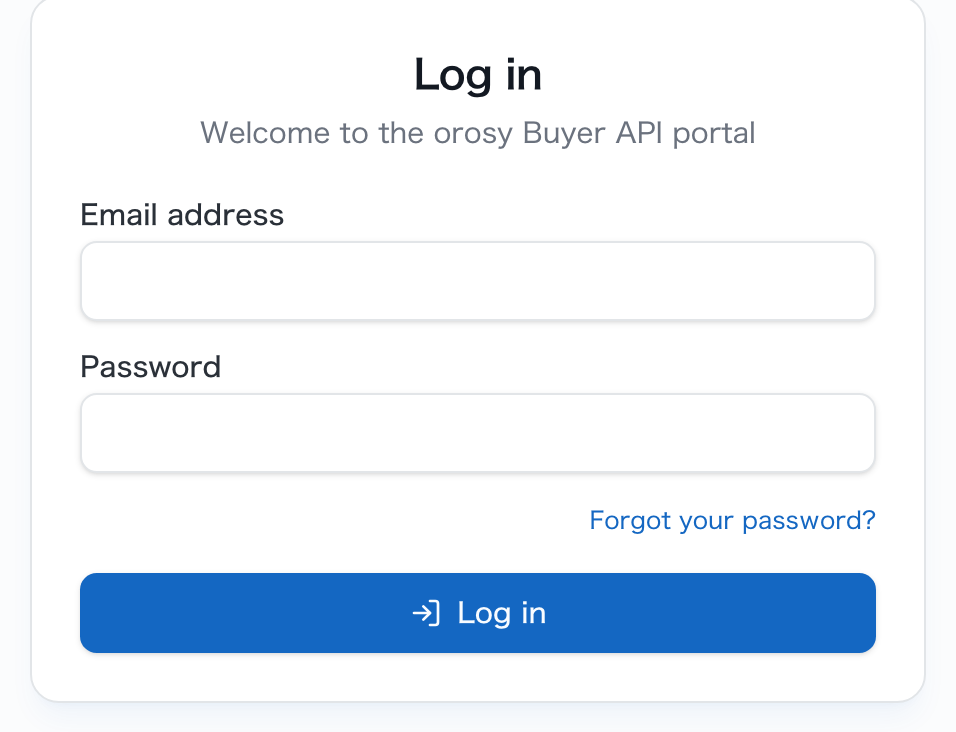
API keys are issued and managed inside the portal after your account is approved. Log in at wholesale-portal.orosy.com/login with the email and password you registered, then open the API keys page and issue a key.
The full API reference is at wholesale-api.orosy.com/docs. A quick check that your key works:
curl https://wholesale-api.orosy.com/v1/products \
  -H "Authorization: Bearer $OROSY_API_KEY"
Core endpoints (see the reference for the full list):
GET /v1/products: search the catalogGET /v1/products/{product_id}: product detailPUT /v1/cart/ship-to: set the delivery country for the cartGET /v1/cart · PUT /v1/cart/items: build a cart across suppliersPOST /v1/orders: place an orderGET /v1/orders · GET /v1/orders/{order_id}: order statusGET /v1/cross-border/eligibility: check whether a product can be shipped to a countryGET /v1/health: liveness check, no auth needed
05Connect over MCP (for Claude and other agents)
The same catalog is exposed as an MCP server (Streamable HTTP), so an AI agent can search products and build carts for you. Two things are all it takes: the URL and the Authorization header, with the same key as REST. For Claude Code:
claude mcp add --transport http orosy https://wholesale-api.orosy.com/mcp \
  --header "Authorization: Bearer orosy_live_..."
Once connected, you can ask your agent things like “find 10 washi tapes in stock” and it will call the catalog for you. The agent searches and builds the cart; the agent always stops to show the total, and you approve the final order.
Questions?
Email wholesale_shop_api@orosy.com and we will help you get connected. For what orosy is and how it works, see the overview and the blog.